How to choose the print format (A4 vs. A3) based on document workflows
Condividi
Introduction
Choosing between A4 and A3 may seem trivial, but for a business, it can change costs, timelines, and the quality of daily work. In this article, you will find a practical criterion for deciding when A4 is enough and when A3 really makes a difference, with impacts on budget, processes, and productivity. We conclude with real-world examples of workflows and an operational checklist.
In summary
- 80/20 rule: if 80% of documents are readable and usable in A4, start with A4 and centralize A3 where needed.
- A3 is needed when readability or layout require more space (floor plans, posters, complex diagrams).
- Total cost: it is not just the sheet; rework time, errors, supplies, and space count.
- Governance: set print defaults and policies to avoid A3 "out of habit".
- Scalability: as you grow, plan for a shared A3 point or a managed print service.
- Support: ensure you have a printer support channel and check response times.
When A4 is enough
A4 covers most office documentation and, if set up correctly, ensures quality and cost efficiency.
Typically A4 document types
- Administration: invoices, delivery notes, orders, business letters, standard contracts.
- Operations: checklists, minutes, procedures, reports with not too dense charts.
- Sales & Marketing: offers, concise product sheets, printed presentations with 2 or 3 slides per page.
- HR: forms, internal communications, policies, and regulations.
- Support: tickets, technical checklists, concise manuals, or excerpts.
Why choose A4
- Lower page cost and lower average consumption.
- Reduced footprint: more compact and quieter devices.
- Speed and simplicity: faster setup, less waste.
- Consistency of use: most company templates are designed for A4.
"Is A4 enough?" decision checklist
- Readability: is the body text larger than 10-11 pt and do diagrams not require zooming to be understood?
- Layout: are extra columns, technical boxes, or multiple signatures not needed that compress the margins too much?
- End use: is the document read at a desk, not on a bulletin board or by a distant audience?
- Review: is it not necessary to make handwritten notes on large surfaces (floor plans, Gantt charts)?
- Errors: does A4 not generate frequent reprints for content that "doesn't fit"?
If you answer "yes" to at least 4 out of 5, A4 is sufficient.
When A3 is needed
A3 comes into play when space and readability are critical, or when the value of use requires a big-picture view.
Typical cases where A3 makes a difference
- Design and technical: floor plans, electrical diagrams, P&ID, machine layouts, drawings with dimensions.
- Project manaIgement: Gantt charts and roadmaps with many tasks, where a view on a single page is essential.
- Complex processes: organizational charts, flowcharts, value stream mapping, SIPOC with many steps.
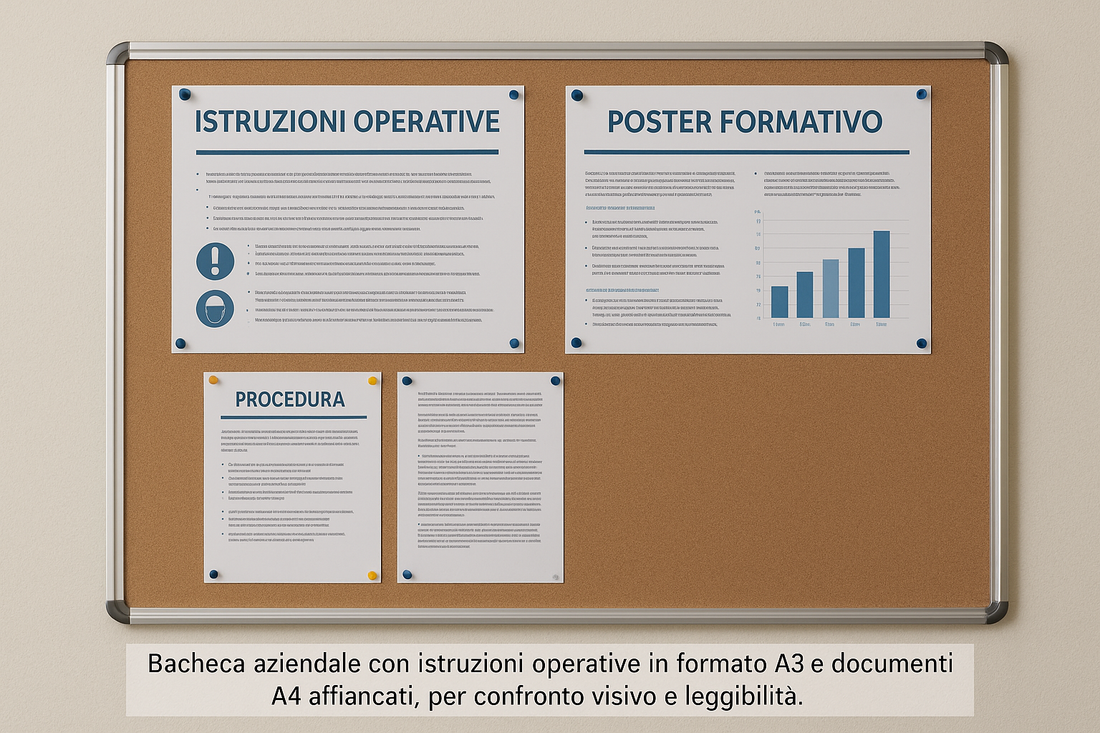
- Visual communication: posters, safety bulletin boards, visible operating instructions, temporary signage.
- Advanced administration: financial statements with many-column tables or consolidated ones with margin notes.
Why choose A3
- Native readability: fewer reductions, fewer errors, fewer reprints.
- Context: a single "panoramic" page facilitates briefings, audits, and operational meetings.
- Annotations: more space for comments and manual revisions.
- Impact: materials for bulletin boards or points of sale result in clearer and more professional results.
"Is A3 needed?" decision checklist
- Does the document lose meaning if divided across multiple A4 sheets?
- Is the scale (dimensions, details) crucial for accuracy?
- Do you need to annotate/sign in multiple areas without compressing text or symbols?
- Will the document be displayed or read by multiple people from a distance?
- Does reducing to A4 cause errors or rework?
If at least 3 answers are "yes", consider A3.
Impact on costs and processes
Beyond page cost
When evaluating A4 vs A3, consider the total cost of ownership (TCO):
- Reprints and errors: an unreadable A4 costs more than a single A3 sheet.
- Manpower: forced layout, corrections, and additional briefings.
- Logistics and space: paper, storage, display on bulletin boards.
- IT Governance: user profiles, print rules, volume reporting.
Recommended delivery model
- If the A3 volume is less than 15-20% of the total: keep A4 close by and a centralized A3 point (or external partner) for peaks.
- If A3 is strategic for specific departments (technical office, visual marketing): plan for dedicated A3 MFPs for the teams that really use them.
- For cost control and predictable SLAs, consider a managed print service or multifunction printer leasing: you pay per page/service, get consumption monitoring and included interventions.
Policy and governance
- Set A4 as default and enable A3 upon request or for authorized departments.
- Create print profiles (e.g., B/W, duplex, draft) to reduce waste.
- Monitor volumes by cost center; share monthly reports.
- Plan for printer support SLAs and a clear channel for machine downtime.
Note: the information provided here is for informational purposes and does not constitute tax or legal advice. For contractual aspects and deductibility, consult your advisor.
Examples of document workflows
1. Technical studio / design office
- Output: floor plans, plant layouts, drawings with dimensions.
- Recommended format: A3 for work, A4 for sending and digital archives.
- Reason: reductions to A4 compromise readability of dimensions and cause errors.
- Setup: A3 point near the technical team; policy to avoid A3 use for emails/drafts.
2. Administration / finance
- Output: accounting reports, multi-column tables, budgets with notes.
- Recommended format: A4 for 90% of cases; A3 for very dense tables to display in the meeting room.
- Reason: readability and data comparison during meetings.
3. Production / quality / HSE
- Output: operating instructions at the machine, control diagrams, safety posters.
- Recommended format: A3 for documents on bulletin boards or near the lines.
- Reason: visibility from a distance and space for symbols/pictograms.
4. Retail / visual marketing
- Output: in-store signage, promos, planograms.
- Recommended format: A3 for visual impact; A4 for internal checklists.
- Reason: communications to the public and merchandise layouts require more area.
5. HR / training
- Output: training programs, organizational charts, visible calendars.
-
Recommended format: A4 for personal documents; A3 for organizational charts and wall calendars.
- Reason: clarity and collective consultation.
How to request a consultation or quote
Want to understand how much A4 and A3 your departments really need, with a savings plan and service SLAs?
Request a free consultation: we map the workflows, estimate volumes, propose the A4/A3 mix and the best model (purchase or lease), with a managed print option and dedicated support.
FAQ
1. What is the difference between A4 and A3?
A4 measures 210x297mm, A3 is 297x420mm (double the area). A3 offers more space for diagrams, tables, and visible content.
2. When is it better to print in A3 instead of A4?
When reduction to A4 compromises readability, precision or remote viewing (floor plans, posters, Gantt charts, organizational charts).
3. Can I print A3 documents reduced to A4?
Yes, but evaluate the impact on readability and errors. If dimensions or panoramic views are needed, A3 is better.
4. Does A3 always cost more?
The page cost is higher, but it can save money if it avoids reprints, extra briefings, or operational errors.
5. Should I also look for an A3 scanner?
If you digitize drawings, posters, or documents with extensive annotations, yes. For administration alone, A4 is often enough.